

TL;DR: choose IAM when the goal is intake, automation, eSignature orchestration, Web Forms, repository visibility and faster rollout. Keep or choose CLM when the process needs mature clause libraries, negotiation, complex document generation, granular lifecycle logic or enterprise legal depth. Migration should be use case by use case, not a blind copy of the old setup.
What each product is for
Docusign CLM is the specialist contract lifecycle product. Docusign positions it around creating, reviewing, negotiating, routing and managing contracts. It is strong when contract logic is deep: templates, clauses, approvals, versioning, repository permissions, integrations and reporting.
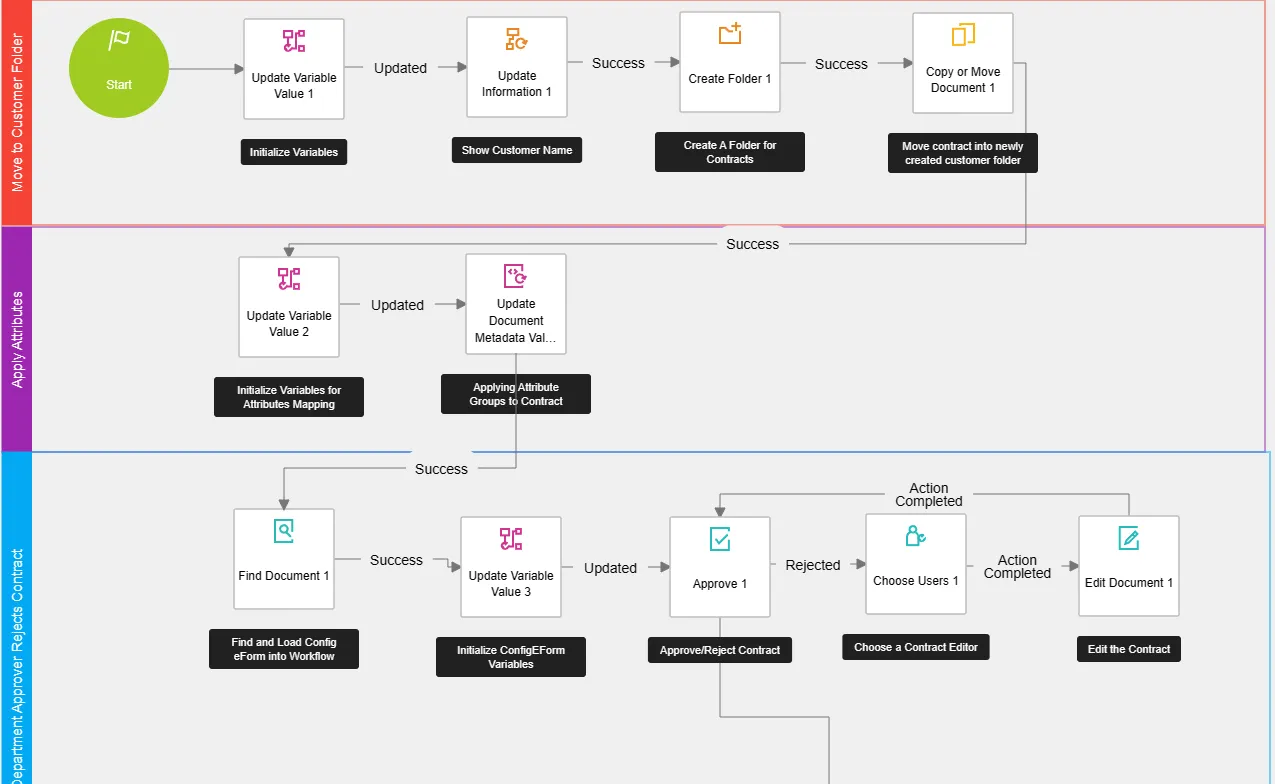
Docusign IAM is the broader Intelligent Agreement Management platform. Docusign positions IAM around the full agreement process: prepare agreements, send and sign, automate workflows, manage agreements in a repository, extract data with AI and connect to other tools.
In practice, IAM is usually easier to start with. CLM is still valuable when the contract process itself is complex enough to justify the heavier system.
Decision table
| Question | Usually choose IAM | Usually choose CLM |
|---|---|---|
| Process type | Structured intake, approvals, signature and repository visibility | Full contract lifecycle with legal-heavy drafting and negotiation |
| Document complexity | Standard templates, guided forms, simpler generation | Complex conditional generation, clause selection and version control |
| Workflow users | Business teams, Legal Ops, Sales Ops, Procurement, HR | Legal teams and trained CLM admins |
| Repository need | AI-assisted search, extraction, renewals and agreement visibility | Granular lifecycle repository, permission models and managed contract records |
| Integrations | App Center, API, webhooks and common system handoffs | Deep enterprise CRM / procurement / legal process integrations |
| Time to value | First usable workflow quickly | Longer implementation, more design and governance |
| Licensing | User plans plus allowances for workflows, automation sends and documents | Enterprise commercial model, usually scoped with sales |
Where IAM is usually the better starting point
- Legal intake: structured requests instead of email threads, with the right fields before Legal starts reviewing.
- Standard approval workflows: routing by amount, entity, region, risk or contract type.
- Web Forms to agreement: guided data collection that feeds an agreement and eSignature flow.
- Post-signature visibility: searchable agreements, extracted dates and renewal awareness.
- Departmental rollouts: Sales, HR, Procurement, Customer Experience or Finance workflows that need speed more than deep legal authoring.
Where CLM still makes sense
- Clause libraries and legal playbooks: when approved language, fallbacks and negotiation rules are central to the process.
- Complex document generation: many templates, annexes, products, jurisdictions or conditional clauses.
- Heavy negotiation: redlining, version control, external counsel or legal review cycles.
- Deep lifecycle governance: detailed permissions, obligation management and contract record control.
- Existing CLM estate: if the current CLM setup already supports critical processes, it may be safer to modernise around it rather than replace everything.
The practical answer is often hybrid: use IAM for intake, simple workflows, Web Forms and repository visibility; keep CLM for clause-heavy or deeply customised contract processes.
How to migrate from CLM to IAM
There is no useful “copy everything” migration. A good CLM-to-IAM move starts by deciding which processes should move, which should stay on CLM, and which should be retired because nobody uses them anymore.
- Inventory the CLM reality. List active workflows, templates, clauses, attributes, integrations, reports, permissions and real usage volumes.
- Sort by migration fit. Move high-volume, lower-complexity workflows first. Keep clause-heavy or negotiation-heavy processes on CLM until IAM can support the business rules properly.
- Map the target design. Intake becomes Web Forms or request flows. Routing becomes Maestro / Workflow Builder. Repository fields become Agreement Manager / Navigator metadata and extraction rules. eSignature stays the signature layer.
- Check licensing impact. IAM workflows, automation sends, Web Forms, API-triggered sends and Agreement Manager documents can all affect allowances. Do the sizing before building.
- Pilot one contract type. Choose a real, frequent use case with clear owners and measurable adoption. Avoid the most complex legal document as the first pilot.
- Migrate and QA the repository. Historical agreements need metadata mapping, extraction validation, sample checks and exception handling.
- Cut over by contract family. Run parallel where needed, train the users, freeze old templates and retire CLM workflows only when the IAM process is proven.
What does not map cleanly
- Very mature clause-library logic.
- Custom CLM scripts, complex merge logic or unusual document packages.
- Granular repository security models that rely on legacy folder structures.
- Highly customised Salesforce / CPQ contract generation.
- Reports that were built around CLM-specific metadata nobody has cleaned in years.
FAQ
Can we keep CLM and add IAM?
Yes. For many teams this is the sensible path: CLM keeps the complex legal workflows while IAM handles intake, simpler automation, Web Forms, repository visibility and user-friendly agreement journeys.
Should every CLM workflow move to IAM?
No. Some workflows should move, some should stay, and some should be retired. Usage data matters more than the original implementation scope.
What should we migrate first?
Start with a frequent contract type that has standard data, limited negotiation, clear approvals and visible pain today. The first workflow should prove adoption, not show off every feature.
Official sources
This guide is based on public Docusign product material plus implementation experience. Product names, capabilities and licensing evolve, so verify against current Docusign documentation and your contract.
This guide reflects public Docusign information reviewed on July 8, 2026. ContractFlow implements Docusign IAM and CLM and does not resell licences.